


Cloudflare tunnels have been great in providing access to internal services.
My setup is having Home assistant behind a NAT’ed IP. It means Cloudflare tunnel is essential to accessing my services.
Recently installed Eclipse Mosquitto broker through home assistant add-ons.
Initial Attempts
HA add-on config allows four ports for access as shown below.
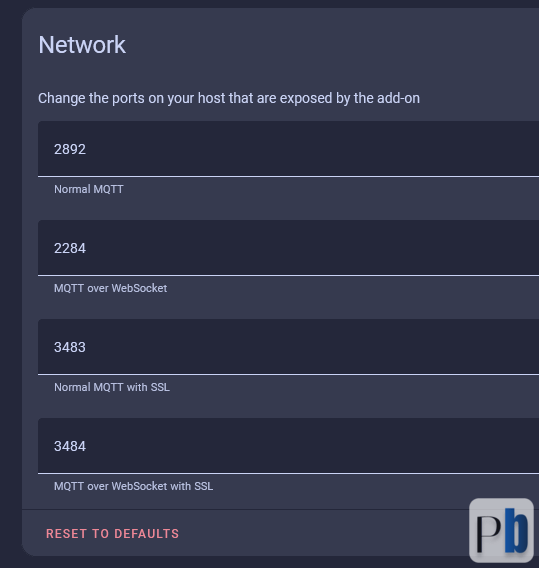
In my first attempt, I forwarded the port 2892 for normal MQTT, and tried to access it. That does not work, checked the add-on documentation. It required to -
[1] Create local home assistant user - in order to log in to mqtt. This add-on does not allow access by default.
Created account, still not able to access. What could be wrong. One thought was since this is diff that regular port forwarding there might be something additional required or Cloudflare may not support it.
What is the issue
Cloudflare tunnel can fwd the request on the port, but MQTT needs port open when accessing
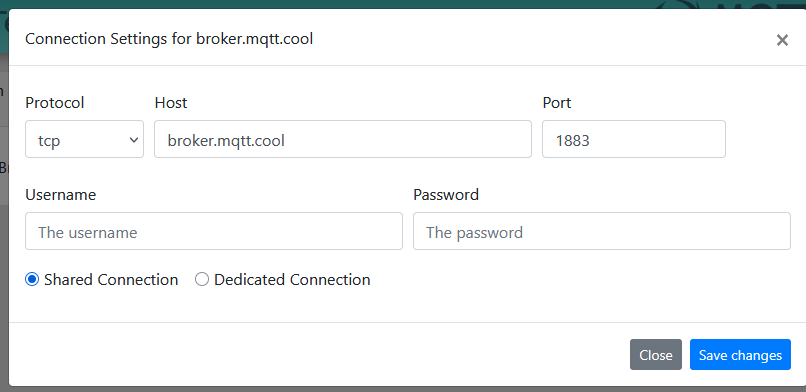
See the setting window from MQTT test tool. It wants to know the protocol, host and port. From Cloudflare tunnel we hide the Port and only the host and protocol is known.
[2] While Cloudflare Tunnels can expose internal services to the internet, they are primarily designed for HTTP(S) and Web Socket traffic.
Attempts to tunnel raw TCP MQTT traffic (e.g., tcp://192.168.1.150:1883) often fail, as Cloudflare's infrastructure does not natively support generic TCP proxying for MQTT
There is one alternate, which you can be aware of is - Cloudflare's own Pub/Sub service supports MQTT v5.0
What could be the solution
We have now established two facts, 1. create account and 2. TCP is not supported. If you look at ports used by broker. You could see it supports MQTT over web sockets. This is great as web socket will be the protocol that is supported by Cloudflare as well.
The way to do is;
Setup Cloudflare tunnel to fwd HTTP to web socket port of broker
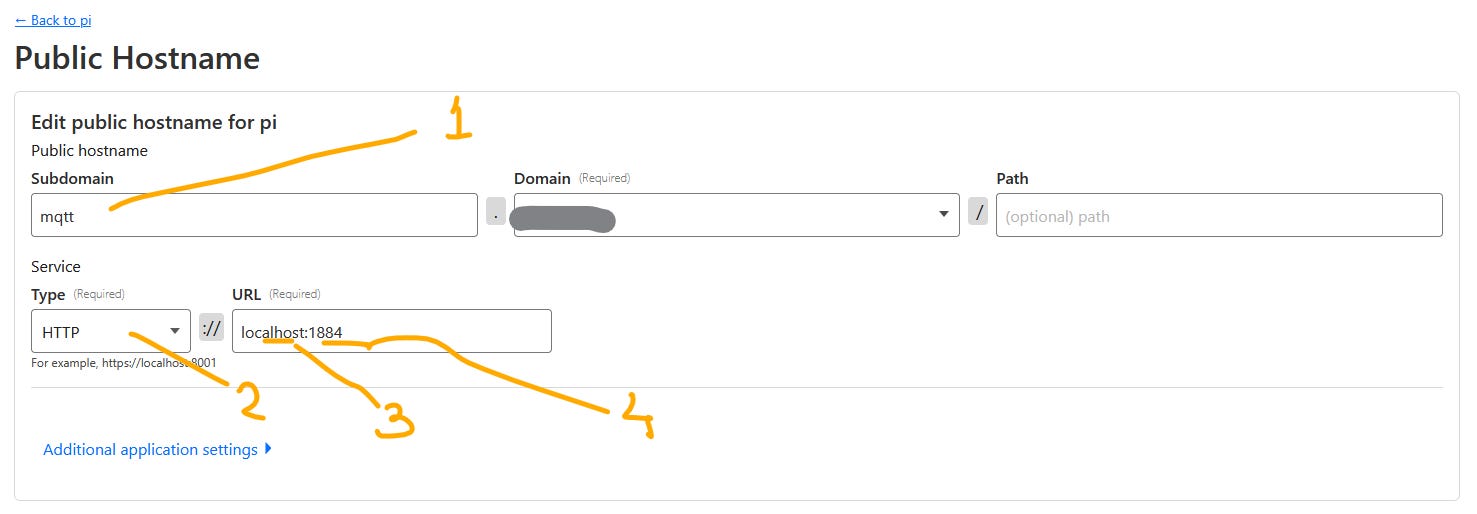
Listed 4 steps;
Setup URL to point to
Select HTTP Type
IP address of MQTT broker - this is my localhost machine where CF tunnel is installed.
Port address of Web socket (MQTT over Web socket )
MQTT broker setup to use Web socket - SSL. (Cloudflare provides it by default)
MQTT Desktop Client
In order to test the MQTT Broker and Client communication, use a local app for testing. Most browser now do not allow to use websockets connections. Shown below are the settings for MQTT explorer client settings.
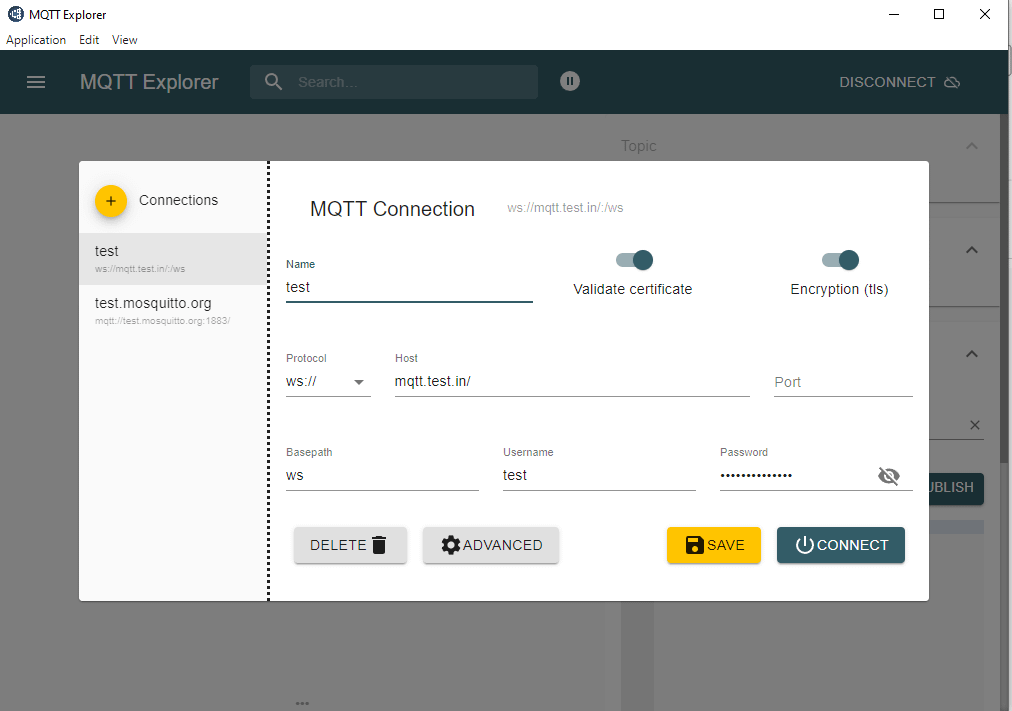
Protocol is WS, host address as defined in Cloudflare tunnel, port is empty. Username and password as defined in home assistant.
Voilà this works!!
MQTT Android Client
Great till now, but we need mobile to work. I tried some apps here. One problem I encountered, port number is absolutely mandating. Which portcan support this ?
There is a solution, use the SSL port and Web socket with SSL as shown below. Setting for app IoT MQTT Panel. Port 443 is the standard port for HTTPS, the secure version of HTTP.
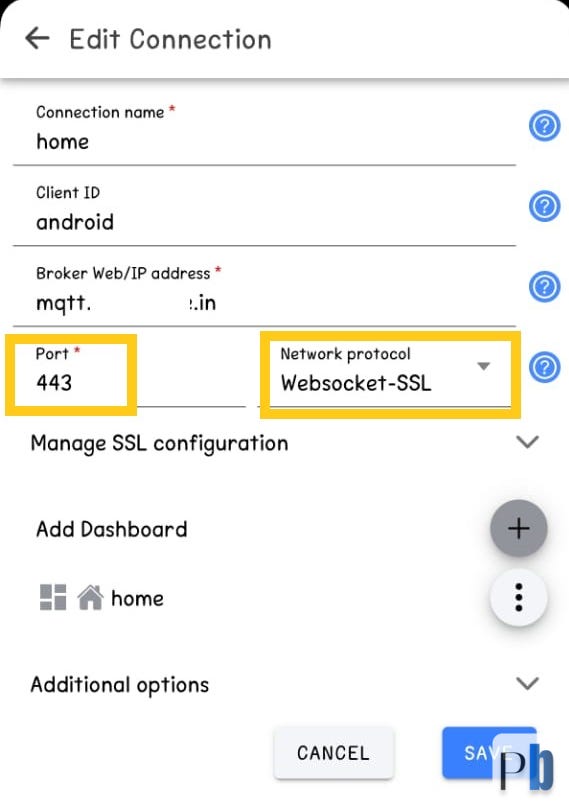
This shall help you to connect to your MQTT broker via Cloudflare tunnel.